
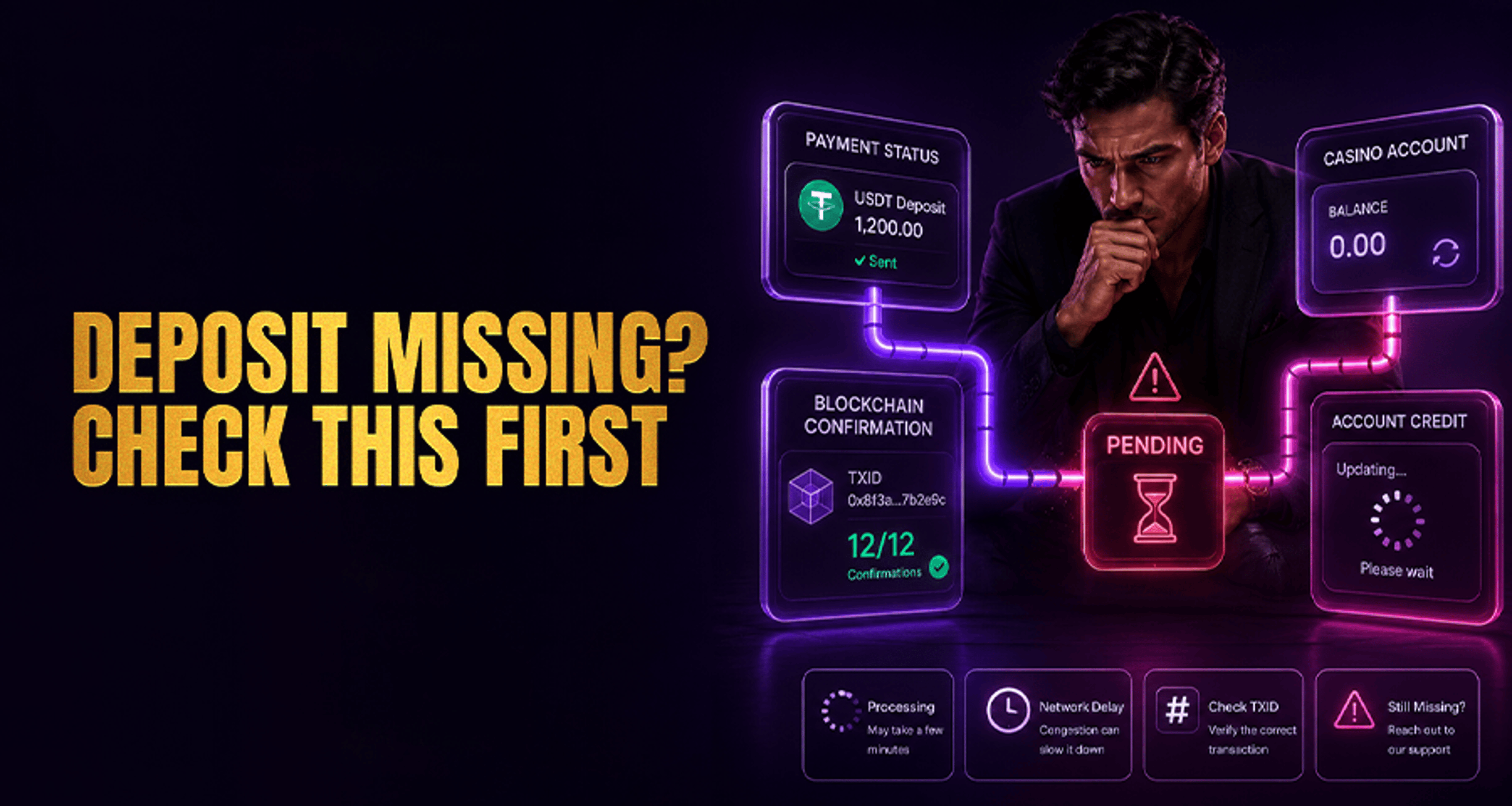
Casino Deposit Not Showing: A Step-by-Step Troubleshooting Checklist
When your funds vanish, this casino deposit not showing step by step troubleshooting guide helps you verify blockchain transactions, check network details, and contact support effectively to recover your balance.
If your casino deposit is not showing, the best way to troubleshoot it is to check each possible failure point in order. First confirm the payment actually left your wallet, bank, or app. Then verify the payment details, compare the delay against the casino’s stated processing window, and only then contact support with complete evidence.
This guide walks through a calm, step-by-step process so you can avoid duplicate deposits, spot common causes, and send support the exact details they need.
What to Check First If Your Casino Deposit Is Not Showing
Before you do anything else:
Do not make a second deposit yet
Take a screenshot of the payment status you currently see
Note the amount, time, payment method, and account used
Check whether the deposit shows as pending, processing, completed, authorized, or declined
Check the casino cashier or deposit page for the stated processing timeframe for your payment method
A missing deposit can happen for different reasons depending on whether you used crypto, card, bank transfer, or an e-wallet. The key is to confirm where the delay happened.
If the issue turns into a broader account or payment dispute, this guide on fixing online casino complaints and payment issues may also help.
Step 1: Confirm the Deposit Was Actually Sent
Start with the source of the payment.
If you used crypto
Check your wallet or exchange and confirm:
The transaction was actually broadcast
The status is not just created or pending approval
The funds were deducted from your balance
A transaction hash (TXID) was generated
If there is no TXID yet, the deposit may not have fully left your wallet or exchange.
If you used card, bank transfer, or e-wallet
Check your banking app, card statement, or payment app and look for one of these statuses:
Pending
Authorized
Completed
Declined
Reversed
Important: a payment marked authorized does not always mean the casino has received and credited it yet. It can still be waiting on the payment processor or bank.
If the money never left your account, the issue is likely on the payment side rather than the casino side.
Step 2: Check Whether You Used the Correct Payment Details
A deposit may not appear if the payment was sent using the wrong details.
Verify all of the following:
You were logged into the correct casino account
The account email or username matches the one you intended to fund
You used the correct deposit address, payment destination, or payment reference
You selected the correct payment method inside the cashier
Any required memo, tag, or reference code was included
This matters most for users with multiple accounts, saved payment methods, or several wallet addresses.
Crypto-specific checks
Confirm that:
The wallet address exactly matches the deposit address shown by the casino
You sent the correct token or coin
You used the required network
You included a memo or destination tag if the deposit page required one
Using the right address but the wrong network can still cause the deposit not to show.
Card, bank, and e-wallet checks
Confirm that:
The payment was made through the casino's current deposit flow
Any required banking reference or open-banking approval was completed
The e-wallet account name and details did not trigger an account mismatch
You did not exit the cashier before the payment flow finished
Step 3: Review Processing Time for Your Payment Method
Not every deposit is instant, even if the payment looks successful on your side.
Different payment methods can have different delays:
Crypto: depends on network congestion, confirmation requirements, and whether the casino credits deposits automatically or after additional checks
Card: may be delayed by issuer checks, processor routing, or temporary authorization holds
Bank transfer: can take longer depending on banking rails, business hours, and intermediary processing
E-wallet: may still be delayed by app sync issues, processor review, or cashier-side queuing
Before escalating, compare what you see against the timeframe shown in the casino cashier, payment instructions, or deposit-method help page. If the deposit is still inside that normal window, waiting is often the correct next step. If it is already beyond the stated window, move on to deeper checks and support escalation.
Also try these quick refresh steps:
Log out and back into your casino account
Refresh the cashier or wallet page
Check the deposit or transaction history page directly
Reopen the app or try the desktop/mobile version if one seems out of sync
Step 4: For Crypto Deposits, Verify the Network and Blockchain Status
If you used crypto, this is the most important branch in the checklist.
Check the network used
Make sure the sending network matches the one the casino provided.
Examples of problems that can delay or prevent a deposit from showing:
Sending USDT on the wrong chain
Sending to an address format that works on one network but not the supported one
Using an unsupported token version
Sending a token when the casino only accepts the main coin on that address
If you used the wrong chain, unsupported token, or incorrect deposit format, this is not the same as an ordinary delay. In those cases, the deposit may not resolve by simply waiting and support may need to review the transaction manually.
Check the wallet address
Compare:
The deposit address shown in the casino cashier
The destination address on the blockchain transaction
They should match exactly.
Check memo or tag requirements
If the cashier required a memo, destination tag, or payment ID, confirm it was included correctly. Missing this detail can prevent automatic crediting.
Check blockchain confirmations
Open the TXID in a block explorer and review:
Whether the transaction is confirmed
How many confirmations it has
Whether it is still pending in the mempool
Whether the receiving address matches the casino deposit address
Whether the token and network details match the intended deposit
A wallet saying completed only means the transfer was sent successfully from that wallet. It does not always mean the casino has enough confirmations to credit it yet.
Watch for network congestion
During busy periods, confirmations can take longer than usual. If the blockchain shows the transaction is still unconfirmed or has too few confirmations, the next step is usually to wait rather than send again.
Step 5: Check Your Casino Account, Wallet, and Transaction History
Sometimes the deposit is recorded, but not visible where you expect.
Check these places inside your casino account:
Main account balance
Deposit history
Cashier or wallet section
Bonus wallet if the platform separates balances
Notifications, inbox, or account alerts
Also confirm you are logged into the correct account, especially if you have:
Multiple casino accounts
More than one email address
Separate sportsbook and casino wallets
Different regional versions of the same site
Step 6: Look for Minimum Deposit Limits, Fees, or Pending Review
A deposit may not show normally if it does not meet platform rules or if it has been flagged for review.
Common causes include:
The amount was below the minimum deposit threshold
Network or processor fees reduced the received amount below the minimum
The casino does not support that token or chain
The payment is waiting for manual review
Account verification checks are incomplete
The cashier is experiencing a temporary outage or maintenance issue
The processor marked the payment for additional review
For non-crypto methods, also check whether your bank or app shows:
A temporary hold
A pending authorization
A delayed settlement
A reversal after an initial approval
Unsupported token or wrong-network deposits should be treated differently from normal processing delays. If that appears to be the issue, gather your TXID or payment reference and contact support instead of assuming the balance will update on its own.
Common Causes of Deposits Not Showing
Here are the most frequent reasons a casino deposit does not appear:
The payment never fully left the source wallet, bank, or app
The wrong deposit address, network, token, memo, or tag was used
The blockchain does not yet have enough confirmations
Network congestion is delaying confirmation
The deposit was below the minimum threshold
Fees changed the amount actually received
The user logged into the wrong casino account
The casino is reviewing the payment manually
The payment processor is delayed
The cashier has a temporary sync or outage issue
When to Wait and When to Contact Support
Wait a bit longer if:
Your crypto transaction is still gaining confirmations
Your bank, card, or e-wallet payment shows pending or authorized but not fully settled
The casino cashier recently looked slow or out of sync
The deposit is still within the processing window stated in the cashier or payment-method guidance
You have not yet checked the transaction history and refreshed your account
Contact support if:
The blockchain shows the crypto transaction as confirmed, but the casino balance is still unchanged
Your bank, card, or e-wallet shows the payment completed, but the casino has no record of it
You suspect you used the wrong network, token, memo, or account details
The deposit is missing beyond the normal processing window shown in the cashier or deposit instructions
You see account verification, manual review, or payment error notices
Do not send another deposit unless support clearly confirms the first one failed or was reversed.
What to Send Support So They Can Find the Deposit Faster
After you finish the checklist, contact support with complete transaction details. This gives them a better chance of locating the deposit faster.
Include:
Your casino account email or username
The deposit amount
The date and exact time of the deposit attempt
The payment method used
The transaction ID, TXID, hash, bank reference, or processor reference number
The wallet address sent from and the receiving address, if crypto
The blockchain network used, if crypto
Whether a memo, tag, or payment ID was used
Screenshots of the payment confirmation, blockchain explorer, bank app, or e-wallet status
Screenshots of your casino deposit history or cashier page
Any error message you saw during the deposit attempt
A simple support message can look like this:
Hello, my deposit is not showing in my account. My username/email is [your account]. I deposited [amount] using [payment method] on [date and time]. The transaction reference/TXID is [reference]. I have attached screenshots of the payment status and my account history. Please check whether the deposit is pending, under review, or missing from the cashier side.
FAQ
Why is my casino deposit not showing even though my wallet says completed?
Because wallet completion only confirms the transfer was sent. The casino may still be waiting for enough blockchain confirmations, checking the network and token details, or reviewing the deposit before crediting it.
How long does a crypto casino deposit take to appear?
It depends on the blockchain, network congestion, the casino’s confirmation policy, and the stated processing window for that deposit method. Some appear quickly, while others take longer when confirmations are slow or extra checks are involved.
Can a deposit be delayed because I used the wrong blockchain network?
Yes. A wrong or unsupported network is a common reason crypto deposits do not show automatically. This may not be fixed by waiting alone, so support may need the TXID and full deposit details to review what happened.
What should I send support if my casino deposit is missing?
Send your account email or username, amount, time of deposit, payment method, TXID or reference number, screenshots, and any blockchain, bank, or app status details.
Should I deposit again if the first casino deposit does not show up?
No. It is safer to verify the first transaction fully before trying again.
Why does my bank or e-wallet show the payment, but the casino balance is still unchanged?
That can happen when the payment is still pending with the processor, under manual review, delayed by settlement timing, or not yet matched correctly to your casino account.
Final Checklist Before You Escalate
Before contacting support, make sure you have checked:
Whether the money actually left your wallet, bank, or app
Whether you used the correct address, network, memo, tag, or payment details
Whether the casino account and login were correct
Whether the deposit history shows any pending or hidden status
Whether the deposit is still within the normal processing window shown in the cashier or payment guidance
Whether minimum deposit rules, fees, or manual review may apply
If you still cannot see the funds, contact support with the full transaction record, including reference IDs and screenshots, so they can investigate faster.





