
How to Read a Transaction Hash Before Contacting Casino Support?
If a crypto transfer gets delayed, make sure to read transaction hash before contacting support. Checking this tracking ID on-chain reveals your payment's real-time status and saves valuable time
If a crypto deposit or withdrawal looks stuck, the fastest first step is often to read the transaction hash before contacting casino support. A quick hash check helps you see whether the payment is still pending, already confirmed on-chain, sent on the wrong network, or mismatched with the casino record.
That does not guarantee recovery, approval, or account crediting. It simply gives you clearer evidence so you can avoid vague support requests and reduce back-and-forth.
What a transaction hash tells you at a glance
A transaction hash, sometimes called a tx hash or txid, is a unique string of letters and numbers assigned to a blockchain transaction. Think of it as the tracking number for a crypto payment.
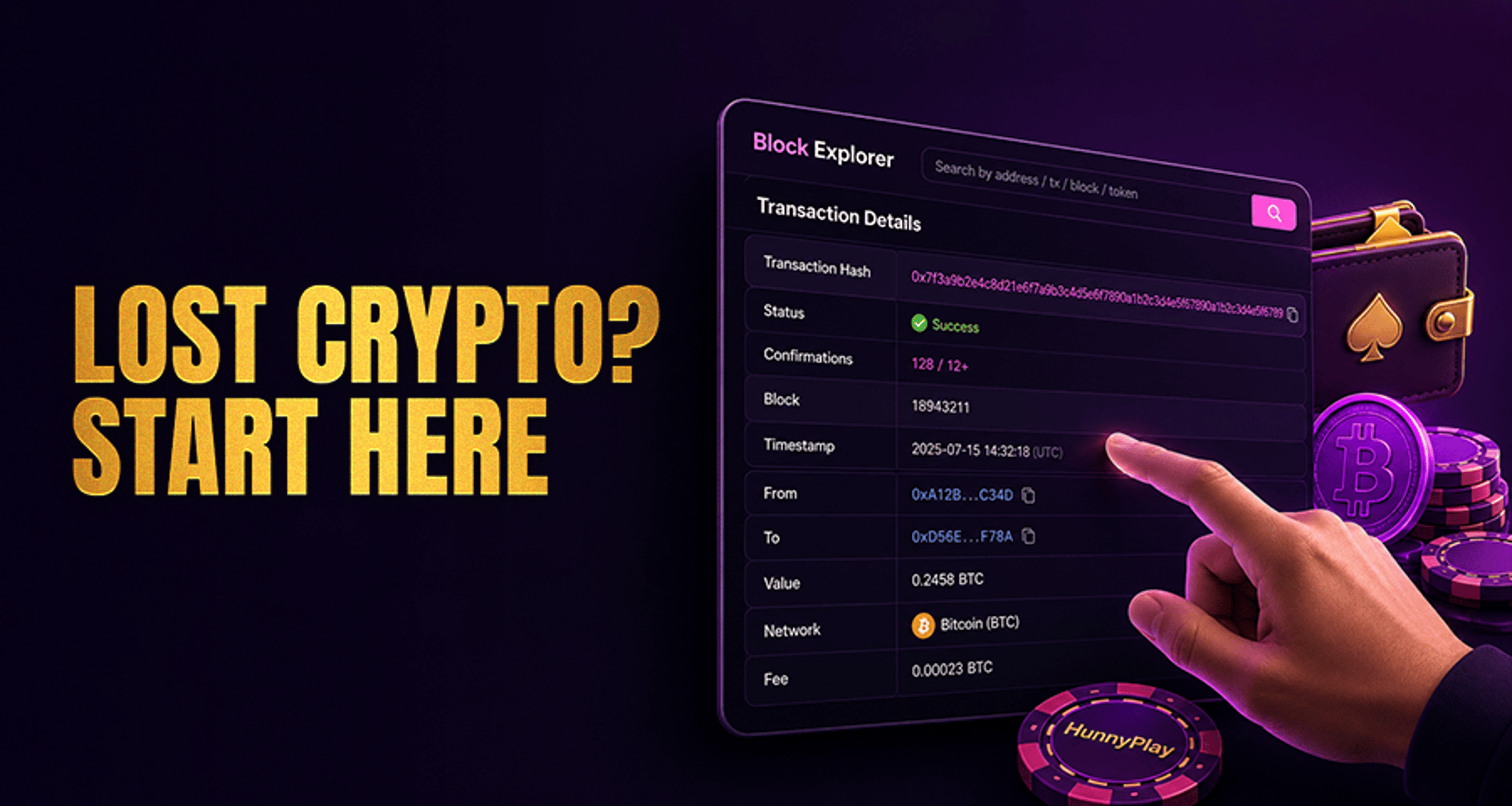
When you open that hash in a block explorer, you can usually check:
Whether the transaction is pending, confirmed, or failed
How many confirmations it has
When it was broadcast and confirmed
Which wallet sent the funds
Which wallet received them
Which blockchain network was used
Which coin or token was transferred
The amount sent
The network fee paid
For casino deposits and withdrawals, those details help you compare what happened on-chain with what appears in the cashier, payment history, or account balance.
Where to find your transaction hash in a wallet or exchange
You will usually find the transaction hash in one of these places:
Your crypto wallet transaction history
Your exchange withdrawal or deposit history
The confirmation screen after sending funds
The email or app notification tied to the transfer
Look for labels such as:
Transaction Hash
Tx Hash
TXID
Transaction ID
Explorer Link
If you are using an exchange, the hash may only appear after the withdrawal is actually sent to the blockchain. If the exchange still shows the transfer as processing internally, there may not be an on-chain hash yet.
How to check a transaction hash in a block explorer
Once you have the hash, paste it into the correct block explorer for that network. For example, Bitcoin hashes should be checked on a Bitcoin explorer, while Ethereum or ERC-20 transfers should be checked on an Ethereum-compatible explorer.
Then go through this checklist.
1. Check the transaction status
Start with the status field.
Common status results include:
Pending: the transaction was broadcast but is not fully confirmed yet
Confirmed/Success: the blockchain has accepted the transaction
Failed: the transaction did not complete on-chain
If the transaction is still pending, support may simply tell you to wait until the network finishes processing it.
2. Check the number of confirmations
Confirmations show how many blocks have been added after your transaction. Many casinos wait for a minimum number of confirmations before crediting a deposit or finalizing a withdrawal view.
If your hash has very few confirmations, the delay may be normal. If you want a broader picture of payment timing expectations, it helps to compare with guides on fast casino payout timelines.
3. Check the timestamp
Review the time the transaction was sent and, if shown, when it was confirmed.
This helps you answer:
Did you send it recently and need more time?
Does the blockchain timestamp match the time shown in the casino cashier?
Did you contact support before the transaction had enough time to settle?
4. Check the sending wallet address
Confirm the sender address matches the wallet or exchange account you used.
This matters because some users accidentally copy the wrong transaction from their history and send support a hash that belongs to a different payment.
5. Check the receiving wallet address
Carefully compare the destination address from the explorer with the deposit or withdrawal address shown by the casino.
A single character mismatch can mean the funds went somewhere else entirely. If the hash is confirmed but the receiving address does not match the cashier address, support usually cannot treat it as a valid casino transfer.
6. Check the network
Make sure the network matches exactly.
Examples:
BTC sent on the Bitcoin network
USDT sent on Ethereum as ERC-20
USDT sent on Tron as TRC-20
ETH sent on Ethereum mainnet
A common mistake is sending a supported asset on the wrong network. Before you use any payment route, it is worth understanding how casino payment methods compare for speed, safety, and fees.
7. Check the coin or token type
Do not assume the asset is correct just because the ticker looks familiar.
For example:
USDT on ERC-20 is not the same transfer path as USDT on TRC-20
Wrapped tokens may not be accepted in the same way as native assets
A casino may support one stablecoin network but not another
8. Check the amount transferred
Compare the on-chain amount with:
The amount you meant to send
The amount shown in the cashier request
Any minimum deposit or withdrawal threshold
If the amount is lower than expected, the issue may be tied to fees, partial transfer size, or a mismatch between the requested amount and the actual amount received.
9. Check the transaction fee
The fee does not usually explain a missing casino credit by itself, but it can help explain delays or why the received amount differs slightly in some cases.
If the fee was too low on a congested network, the transaction may stay pending longer than expected.
What confirmations, status, and network details actually mean
These three fields usually tell you the most before you open a support ticket.
Status tells you whether the transaction actually completed on-chain
Confirmations tell you how far along the transaction is in final settlement
Network tells you whether the transfer was sent through the correct blockchain route
If all three look right, then the next step is matching the hash details against the casino record.
If you are still comparing which transfer options tend to be easier to verify, this can also fit into a broader review of online casino payment methods.
How to spot common payment issues before contacting casino support
Here are the most common patterns a hash check can reveal.
Pending transaction
If the explorer shows pending, the payment has not fully settled yet. In that case, support may not be able to do much beyond confirming they are waiting for blockchain completion.
Confirmed but sent to the wrong address
If the transaction is confirmed but the receiving address does not match the casino deposit address, the payment may have been sent elsewhere. This is one of the most important checks to do before raising a ticket.
Wrong network
If the asset was sent on a different network than the one the casino provided, the transaction may be visible on-chain but unusable for that deposit flow.
Incorrect token or coin
If the casino expected a specific coin or token standard and the hash shows a different asset, support may need the full details to review it, but the blockchain confirmation alone does not mean it will be credited.
Amount mismatch
If the on-chain amount differs from the cashier record, note whether:
The sent amount was below a minimum
The wrong amount was entered manually
A transfer was split across multiple transactions
Delayed credit after confirmation
Sometimes the transaction is fully confirmed and all addresses match, but the casino balance still has not updated. That can happen because internal processing takes longer than the blockchain itself.
A confirmed hash can help support verify the case faster, but it still does not guarantee an immediate fix or manual credit.
What to send support after you verify the hash
After you finish checking the hash, include these details in your support ticket:
Transaction hash
Sending wallet address
Receiving wallet address
Network used
Coin or token type
Amount sent
Time sent
Current confirmation count or confirmed status
Screenshot from your wallet, exchange, or block explorer if available
Keep the message short and specific. For example:
I checked the transaction hash and it shows confirmed on-chain. The network is TRC-20, the receiving address matches the cashier address, and the amount sent was 250 USDT at 14:32. Here is the tx hash and screenshot for review.
That gives support a much cleaner starting point than saying a payment is missing without evidence.
When a confirmed hash still does not match your casino balance
If the hash is confirmed and the main details match, compare it one more time against the casino cashier or transaction record:
Does the deposit address match exactly?
Does the network match exactly?
Does the token type match exactly?
Does the amount meet the stated limits or minimums?
Did the casino state a required number of confirmations?
If everything appears aligned and the balance still has not updated, it makes sense to contact HunnyPlay support with the full verification details you collected.
Final takeaway
Learning how to read transaction hash details before contacting casino support can save time and make your request much clearer. You can quickly separate a pending blockchain transfer from a wrong-network issue, address mismatch, token mismatch, or a confirmed payment that may still need internal review.
It is a troubleshooting step, not a promise of recovery or crediting. But if you complete the checklist first, your support ticket is more likely to be specific, relevant, and easier to review.
FAQ
What is a transaction hash in crypto payments?
A transaction hash is the unique ID assigned to a blockchain transfer. You can use it to look up the payment in a block explorer and review its status, confirmations, addresses, network, amount, and fee.
How many confirmations should I wait for before contacting casino support?
That depends on the coin, token, and casino policy. If the hash is still gaining confirmations, waiting until the stated requirement is met is often the right first step.
Can a casino help if my transaction hash shows the wrong network?
Support may review the case, but a wrong-network transfer does not guarantee recovery or crediting. The hash check mainly helps you identify the issue clearly before opening the ticket.
What if my transaction hash says confirmed but my balance is still missing?
Check the receiving address, network, token type, amount, and cashier record again. If those details match, send the verified hash details to support for review.
What details should I include with a crypto support request?
Include the transaction hash, wallet addresses, network, coin or token type, amount, time sent, confirmation status, and screenshots if available.
Can I track both deposits and withdrawals with a transaction hash?
Yes. A transaction hash can be used to review both deposit and withdrawal transfers, as long as the payment has actually been broadcast on-chain.





