
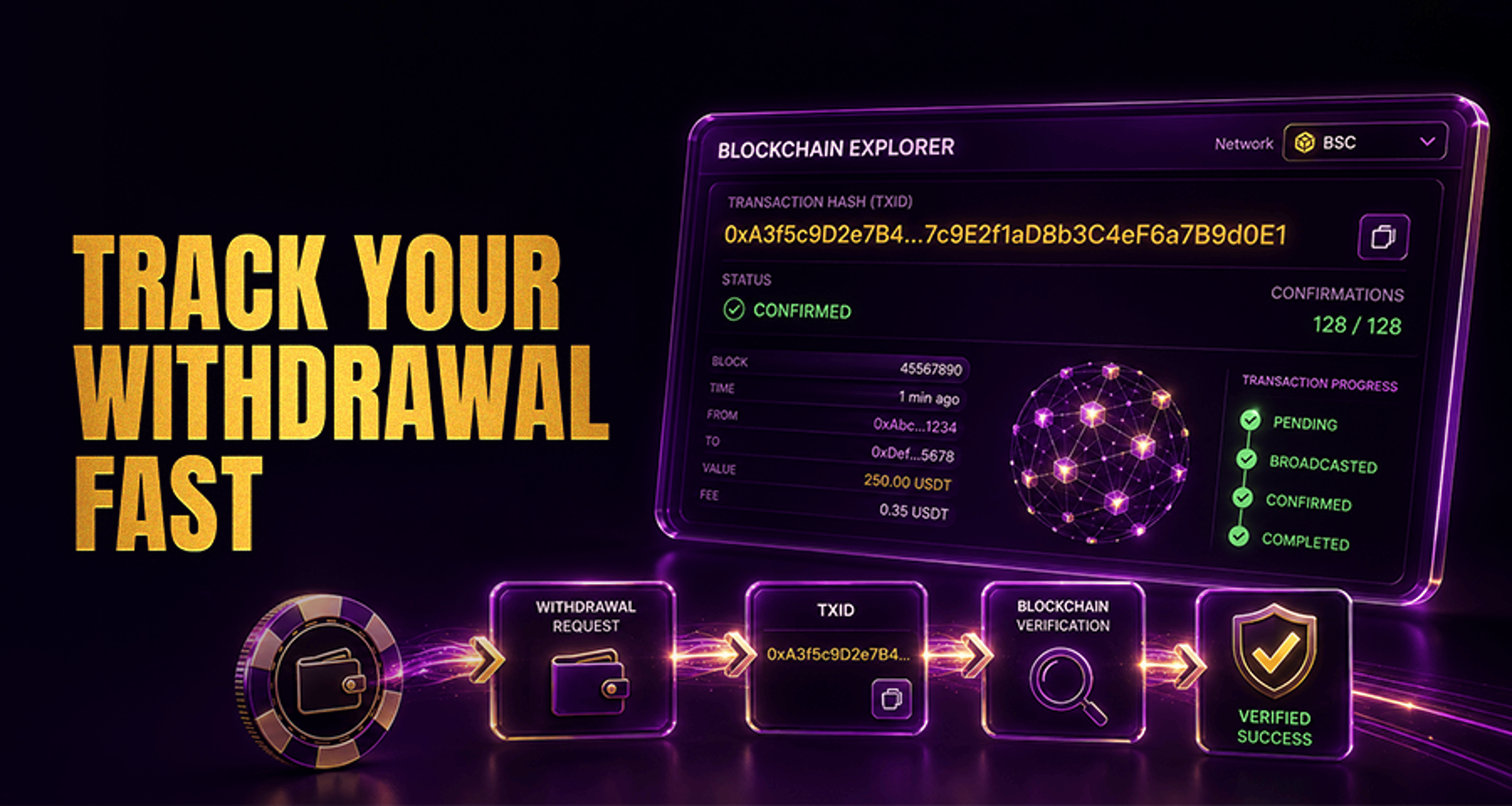
How to Verify a Casino Withdrawal Using a Transaction Hash?
If you need to verify a casino withdrawal using a transaction hash, the fastest way is to check whether the withdrawal was actually broadcast on the blockchain. A transaction hash, also called a TXID, lets you
If you need to verify a casino withdrawal using a transaction hash, the fastest way is to check whether the withdrawal was actually broadcast on the blockchain. A transaction hash, also called a TXID, lets you look up that transfer on a blockchain explorer and confirm what happened.
This is useful when your casino account says a withdrawal is pending, completed, or delayed and you want to know whether the crypto transaction exists on-chain yet.
What a transaction hash means for a casino withdrawal
A transaction hash or TXID is the unique ID assigned to a blockchain transaction after it is broadcast to the network. Think of it like a tracking number for a crypto transfer.
For a casino withdrawal, the TXID can help you confirm:
whether the withdrawal was broadcast on-chain
which wallet address received the transfer
what coin or token was sent
which network was used
how many confirmations the transaction has
This matters because a withdrawal status inside your casino account is not always the same as the blockchain status. A casino may show a withdrawal as pending internal review, queued for processing, or completed on their side before your wallet or exchange credits the funds.
Where to find your casino withdrawal TXID
You can usually find the TXID in one of these places:
your casino withdrawal history
a payment or withdrawal confirmation email
a live chat or support message from the casino
Not every platform issues a TXID immediately. If the withdrawal is still being processed, manually reviewed, or has not yet been broadcast, there may be no TXID available yet.
If you are also dealing with a broader payment problem, it may help to review this guide on fixing casino withdrawal issues and getting support faster.
How to check a withdrawal on a blockchain explorer
To verify the withdrawal, follow this basic flow:
Copy the TXID exactly as shown.
Open the correct blockchain explorer for the network used.
Paste the TXID into the search bar.
Review the transaction details.
The important part is using the correct explorer for the correct network. For example, a BTC transaction hash should be checked on a Bitcoin explorer, while an ERC-20 token transfer should be checked on an Ethereum-compatible explorer.
If you use the wrong explorer, the TXID may appear invalid even if the withdrawal is real.
What to verify after opening the transaction
After the transaction appears in the explorer, compare the details against your original withdrawal request.
Check these points:
Status: pending, confirmed, failed, or dropped if shown
Destination wallet: make sure the receiving address matches the wallet address you entered
Amount: confirm the amount sent matches your request, allowing for any clearly stated deduction if applicable
Network: confirm the coin or token was sent on the correct blockchain
Confirmations: check how many network confirmations the transaction has
This comparison is important because a transaction can exist on-chain but still be sent to the wrong address, the wrong network, or with unexpected details.
Understanding common withdrawal statuses
Here is what common statuses usually mean:
Pending: the withdrawal request exists in the casino system but may not be broadcast yet
Broadcast: the transaction has been sent to the blockchain network and should have a TXID
Confirmed: the blockchain has included the transaction in blocks and it has one or more confirmations
Failed: the withdrawal did not complete successfully
Cancelled: the withdrawal was stopped before completion
Requires manual review: the withdrawal is being checked internally before broadcast
A confirmed blockchain transaction does not always mean the funds will appear immediately in your receiving account. Some wallets and exchanges wait for extra confirmations or additional internal processing before crediting the balance.
Why a TXID may show no results
If you paste the TXID into an explorer and nothing appears, common reasons include:
you used the wrong blockchain explorer
the TXID was copied with a typo or missing characters
the withdrawal was approved internally but not broadcast yet
the platform gave you a reference that is not actually the on-chain TXID
the transaction was sent on a different network than expected
no TXID has been issued yet
Before contacting support, recheck the network, the exact transaction hash, and the explorer you used.
What to do if the withdrawal is confirmed but not in your wallet
If the explorer shows the withdrawal as confirmed but you still do not see the funds, check the following:
whether your wallet supports that specific coin or token
whether your wallet supports the network used for the withdrawal
whether the destination address matches exactly
whether your exchange or wallet requires more confirmations before crediting
whether the asset needs to be manually enabled or viewed in the receiving wallet
This is where users often confuse blockchain confirmation with wallet crediting. A transfer can be fully confirmed on-chain while the receiving platform still needs more time to display or credit it.
When to contact casino support about a missing withdrawal
You should contact support if:
no TXID appears after a reasonable processing period
the TXID shows no results after you check the correct explorer
the amount, destination address, token, or network does not match your request
the withdrawal is marked failed, cancelled, or stuck in review for too long
the blockchain shows confirmed but you need help proving the casino sent the funds
When you contact support, provide complete details so they can investigate faster:
username
withdrawal time and date
amount
coin or token
network used
destination wallet address
TXID, if available
The more complete your message, the easier it is for support to trace the withdrawal history and confirm whether the transaction was actually broadcast.
Final check before you escalate
If you want to verify a casino withdrawal using a transaction hash, start by confirming the TXID, network, destination wallet, and confirmation status on the correct blockchain explorer. If anything is missing, delayed, or mismatched, gather your withdrawal details and contact support with the full record.
That support-first process helps you separate three different situations:
the withdrawal has not been broadcast yet
the withdrawal is on-chain but still awaiting confirmations or wallet crediting
the withdrawal details do not match and need support review
FAQ
What is a transaction hash for a casino withdrawal?
A transaction hash, or TXID, is the unique blockchain ID for a crypto withdrawal. It lets you look up the transfer on a blockchain explorer.
How do I verify a crypto casino withdrawal on the blockchain?
Copy the TXID, open the correct blockchain explorer for the network, paste the TXID, and confirm the status, destination wallet, amount, network, and confirmations.
Why does my withdrawal TXID show no results?
This can happen if you used the wrong explorer, copied the TXID incorrectly, checked before the withdrawal was broadcast, or were given a reference that is not the final on-chain transaction hash.
How many confirmations does a casino withdrawal need?
There is no single number for every case. Confirmation times vary by network, and the receiving wallet or exchange may require additional confirmations before crediting the funds.
Can a withdrawal say completed but still not show in my wallet?
Yes. A casino may mark the withdrawal completed on its side, but your wallet or exchange may still be waiting for more confirmations or internal crediting.
What details should I send support when a crypto withdrawal is delayed?
Send your username, withdrawal time, amount, coin, network, destination wallet address, and TXID if one is available.





