
What Information Should You Send Support for a Missing Crypto Deposit?
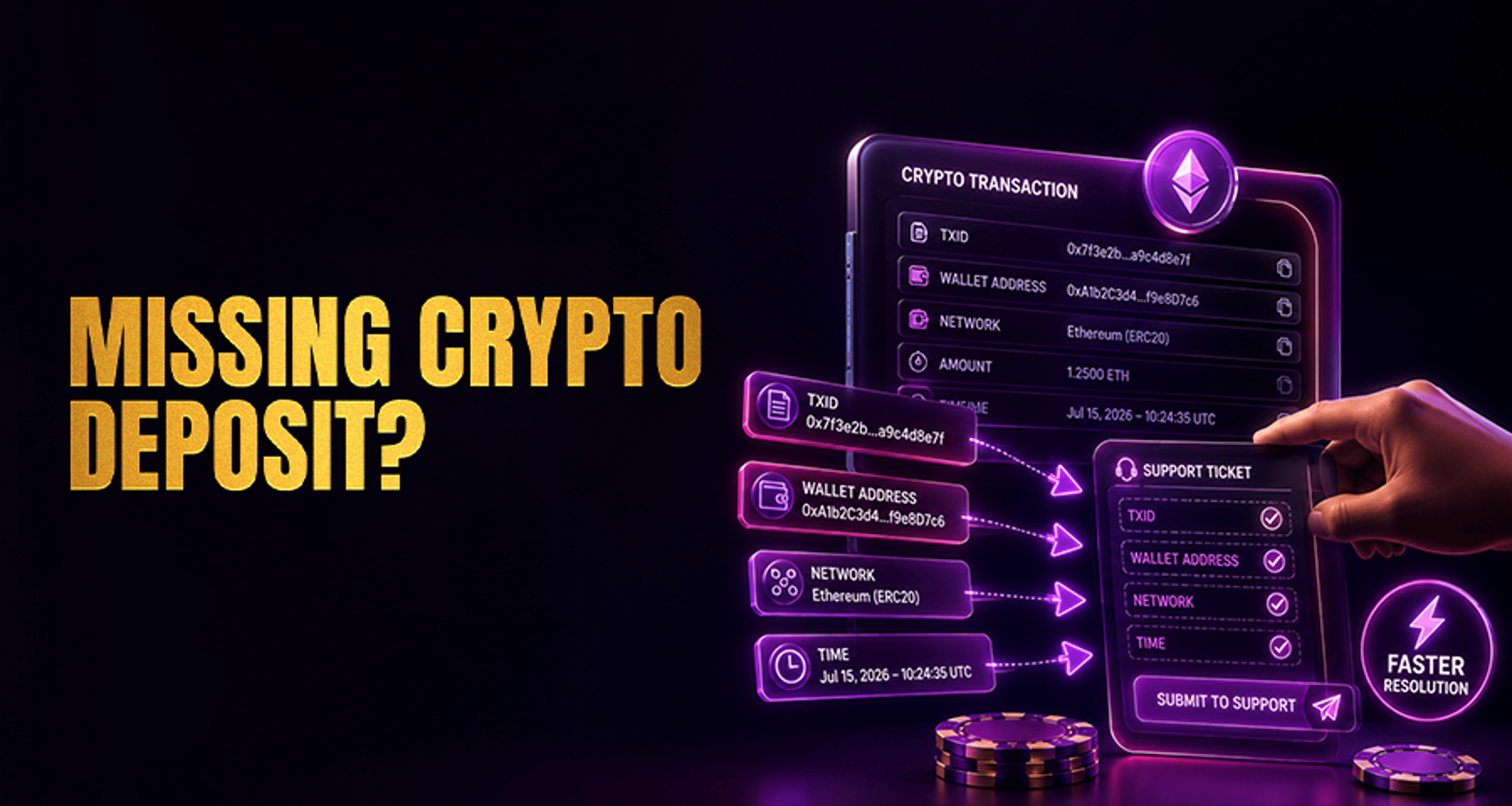
When providing information should send support missing crypto deposit reports require precision: include your transaction hash (TXID), exact coin name, network used, destination address, and wallet screenshots.
If your crypto deposit has been sent but is not showing in your account, the fastest way to move your case forward is to contact support with complete, accurate details in your first message. A clear support request helps the team verify the transaction, check the destination details, and review whether the deposit matches the platform’s instructions.
This guide covers exactly what information you should send support for a missing crypto deposit, what to double-check before opening a ticket, and how to write a message that reduces back-and-forth.
What details support needs for a missing crypto deposit
When you report a missing crypto deposit, support usually needs enough information to identify the transfer on-chain and match it to your account. In most cases, your checklist should include:
Transaction hash (TXID)
Coin or token name
Deposit amount
Wallet or destination address used
Blockchain network used such as ERC-20, TRC-20, BEP-20, or BTC
Date and approximate time the transfer was sent
Number of confirmations or current blockchain status if visible
Screenshot of the wallet transaction details or blockchain explorer page
Your account identifier tied to the platform account
Memo, tag, or payment reference where applicable
A short explanation of the issue
Sending all of this at once gives support a better starting point than a short message like “my deposit is missing.” If you have dealt with other account or payment problems before, you may also find it helpful to review broader issue-reporting habits in Online Casino Complaints Fix Issues Get Paid Fast.
Transaction information to include in your support request
The most important part of your report is the transaction data. This is what allows support to locate the deposit and compare it against the platform’s deposit records.
Transaction hash / TXID
The TXID is often the single most useful detail in a missing deposit case. It gives support a direct way to review the transfer on a blockchain explorer and confirm whether the transaction was broadcast, completed, or still pending.
If you only include one technical detail, make it the TXID. Still, it is best to include the full checklist rather than relying on the TXID alone.
Coin or token name
State the exact asset you sent, such as:
BTC
ETH
USDT
USDC
TRX
Do not assume support will infer the asset from the amount or wallet screenshot. A token name matters because some assets exist on multiple networks.
Deposit amount
Include the exact amount sent. If relevant, copy it exactly as shown in your wallet or transaction record. Even a small mismatch can slow down review if support is checking multiple deposits in a similar range.
Wallet or destination address used
Paste the destination address you used for the deposit. This helps support verify whether the transfer was sent to the correct deposit address assigned by the platform.
Blockchain network used
Always specify the network used for the transfer, for example:
ERC-20
TRC-20
BEP-20
BTC
SOL
This is critical because a deposit may be delayed or fail to credit normally if the asset was sent over a network that did not match the platform’s deposit instructions.
Account details and screenshots that help verify the deposit
Support also needs enough account-level context to connect the transaction to the right user profile.
Your account identifier
Include the account identifier linked to your platform account, such as your:
Username
Registered email address
User ID
Support ticket reference if you already opened one
This reduces the chance of delays caused by support needing to ask who the deposit belongs to.
Memo, tag, or payment reference
Some assets and networks require a memo, destination tag, or payment reference in addition to the wallet address. If your deposit involved one, include exactly what you entered.
If the memo or tag was left out, entered incorrectly, or you are unsure, say that clearly in your message. It is better to be precise than to leave support guessing.
Screenshots
Attach a screenshot of:
Your wallet transaction details, or
The blockchain explorer page showing the transfer
A good screenshot should clearly show the TXID, amount, destination address, and status if available. This can save time if support needs a quick visual confirmation alongside the text details.
Common reasons a crypto deposit may not appear yet
A missing balance does not always mean the deposit is lost. Some deposits take longer to appear for routine reasons, including:
The transaction is still waiting for enough blockchain confirmations
The wrong network was selected during the transfer
The deposit was below the platform’s minimum deposit amount
The address, memo, or tag details did not match the deposit instructions
The platform is still processing or reviewing the deposit
If your issue is part of a larger account-support problem, it can help to organize your evidence the same way you would for other payment disputes, similar to the approach in this complaints and issue-fixing guide.
Before you contact support: quick checks to make first
Before opening a ticket, take a minute to confirm the basics:
Check the deposit address you used matches the one provided by the platform
Confirm the network selection matched the deposit instructions
Check whether the amount met the minimum deposit requirement
Review the blockchain status to see whether the transaction is pending or confirmed
Confirm any memo, tag, or reference was included if required
These quick checks can help you give support a cleaner report. They also reduce the risk of missing an issue that is already visible in the transaction details.
How to write a clear missing deposit support message
Your message does not need to be long. It just needs to be complete. A simple format like this works well:
Hello Support, I sent a crypto deposit that has not been credited to my account yet. Coin/token: [asset name] Amount: [amount] Network: [network] TXID: [transaction hash] Destination address: [address] Memo/tag/reference: [if applicable] Date/time sent: [date and approximate time] Current blockchain status: [pending/confirmed + confirmations if visible] Account ID / username / email: [your account details] Issue summary: I sent the deposit to the listed address, but it is not showing in my account. I have attached screenshots of the wallet transaction and explorer page.
This format helps support review the case without first asking for missing basics.
FAQ
What is the most important information to send support for a missing crypto deposit?
The most important detail is usually the transaction hash (TXID), because it helps support locate the transfer on-chain. However, you should also include the asset name, amount, address used, network, time sent, account identifier, and screenshots.
Do I need to include the TXID for a missing crypto deposit?
Yes, if it is available. The TXID is one of the most useful details in a support review and can speed up verification.
Should I send a screenshot when reporting a missing deposit?
Yes. A screenshot of your wallet transaction details or the blockchain explorer page can help support verify the transfer more quickly.
What if I used the wrong network for my crypto deposit?
Tell support exactly which network you used and include the full transaction details. Do not assume recovery is possible, but clear information gives support the best chance to review the case properly.
How long should I wait before contacting support about a missing deposit?
First, check whether the transaction is still pending or waiting for confirmations. If it already shows completed on-chain but is still not credited after a reasonable processing period, contact support with the full checklist. Review time depends on the case and the transaction details available.
What if my deposit shows confirmed on-chain but is not in my account?
Send support the TXID, number of confirmations, destination address, network used, screenshots, and your account identifier. This helps them compare the blockchain record against your account deposit record.
Do I need to include a memo or destination tag in my support request?
Yes, if the asset or network uses one. If you entered it incorrectly or did not include it, mention that clearly in your message.
Final checklist before you submit your ticket
Before you contact support, make sure your first message includes:
TXID
Coin or token name
Deposit amount
Destination address
Network used
Date and approximate send time
Confirmation count or blockchain status
Wallet or explorer screenshots
Your account identifier
Memo, tag, or payment reference if required
A short explanation of the issue
A complete first message gives support the information they need to begin reviewing your missing crypto deposit case. Attach all transaction evidence up front so the team can assess the issue with less back-and-forth. Support review time will depend on the specific case and the details available.





