
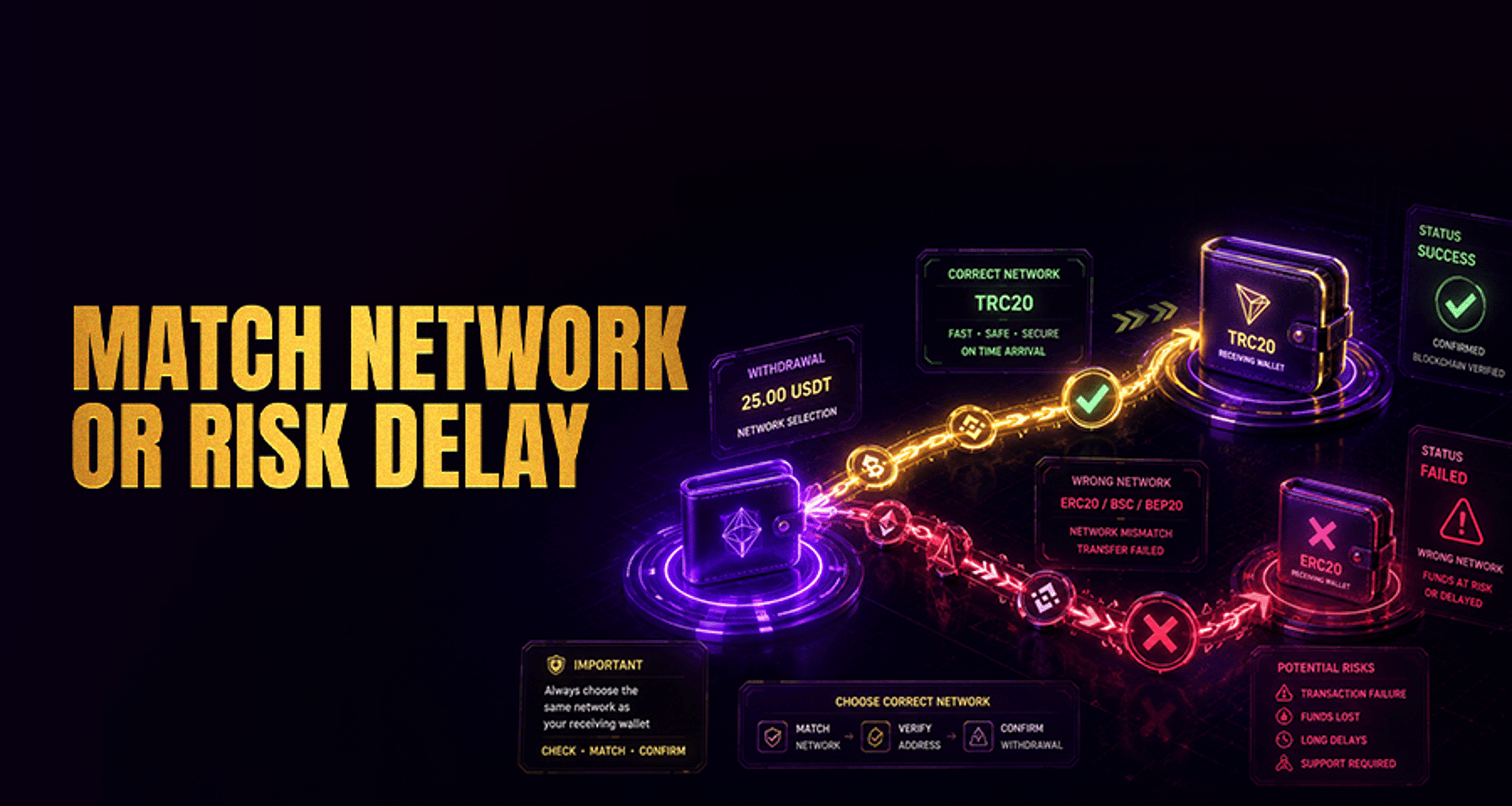
Why Your Withdrawal Network Must Match Your Wallet Network?
Sending crypto to an external wallet can fail even when the wallet address looks correct. A common reason is a network mismatch: the network selected for withdrawal does not match the network the destination wallet
Sending crypto to an external wallet can fail even when the wallet address looks correct. A common reason is a network mismatch: the network selected for withdrawal does not match the network the destination wallet supports for that asset.
This matters because the withdrawal network must match wallet network settings exactly before you confirm the transfer. If you choose the wrong one, the transfer may not arrive as expected, may require manual investigation, or may be difficult to recover depending on the asset, wallet, and network involved.
What it means for a withdrawal network to match your wallet network
A withdrawal network is the blockchain route you choose when sending crypto out of a platform. Examples can include Ethereum, BNB Smart Chain, Tron, Solana, or other supported chains.
A wallet network is the blockchain network your destination wallet can receive for that specific asset. In many wallets, the same asset may appear on more than one supported chain, but each deposit option is still tied to a specific network.
For a withdrawal to work correctly, these two settings need to match:
The asset you are sending
The destination wallet address
The network selected at withdrawal
Any required memo, tag, or destination note
For example, if your wallet gives you a deposit address for USDT on Tron, selecting a different network such as Ethereum or BNB Smart Chain during withdrawal can create a mismatch, even though the asset name is still USDT.
Why network mismatches happen during crypto withdrawals
Network mismatches usually happen because the same crypto asset can exist on multiple blockchains.
Common examples include:
USDT on Ethereum, Tron, or BNB Smart Chain
USDC on Ethereum, Solana, or other supported networks
ETH or wrapped assets that may appear in wallets connected to multiple chains
This is where users get tripped up: the asset name looks familiar, the address field is filled, and the wrong network gets selected too quickly.
Another source of confusion is assuming that if the address matches, the transfer is safe. In practice, the network also needs to match. Address matching alone is not enough.
If you are troubleshooting a payment or withdrawal issue more broadly, it can also help to review related support steps in Online Casino Complaints Fix Issues Get Paid Fast.
How to check whether your wallet supports the selected network
Before you confirm a withdrawal, check the destination wallet itself rather than guessing based on the coin name.
Use this quick process:
Open the destination wallet.
Choose the asset you want to receive.
Tap the wallet’s deposit or receive option.
Review the listed network for that asset.
Confirm that the withdrawal network on the sending platform is exactly the same.
Pay close attention to wallet wording such as:
Supported network
Deposit network
Token standard
Memo or tag requirement
Some wallets support only one version of an asset, while others support several. Support can vary by wallet, asset, and chain, so it is safest to rely on the wallet’s deposit details for that exact transaction.
What can happen if you send crypto on the wrong network
If you send crypto to the right address on the wrong network, the outcome depends on the wallet, asset, and whether the receiving side supports that chain.
Possible outcomes include:
The funds do not appear in the wallet automatically
The wallet cannot recognize the transfer on that network
Recovery may require manual support review
Recovery may not be possible in some cases
It is important to be careful here: a mismatch does not always mean funds are recoverable, and it does not always mean they are permanently lost. The result depends on the specific setup.
This is also different from other withdrawal issues, such as:
Entering the wrong wallet address
Sending an unsupported asset
Forgetting a required memo or tag
A temporary processing delay on the platform or blockchain
Pre-withdrawal checklist before you confirm the transfer
Use this short checklist every time:
Asset: Are you sending the exact asset your wallet is expecting?
Destination address: Did you copy the address directly from the wallet’s deposit screen?
Network: Does the selected withdrawal network exactly match the wallet’s deposit network?
Wallet support: Does the destination wallet support that asset on that specific chain?
Memo or tag: If required, have you entered it correctly?
If anything looks unclear, pause before sending. A small mistake here can create a much bigger support issue later.
Some users also prefer to send a small test withdrawal first, especially when using a wallet, asset, or network combination for the first time.
When to contact support before withdrawing
You should stop and contact support before submitting the withdrawal if:
You are not sure which network your wallet supports
The same asset appears with multiple network choices and you cannot tell which one applies
Your wallet shows a memo, tag, or special deposit instruction you do not fully understand
The sending platform and wallet display different network names and you are unsure whether they are compatible
You already had a prior issue with deposits or withdrawals for that wallet
The safest next step is to verify the destination wallet’s supported deposit network, review the platform’s withdrawal help resources, and contact support if you are unsure before sending.
FAQ
How do I know which withdrawal network to choose for my wallet?
Use the deposit or receive screen inside your destination wallet for that exact asset. The listed deposit network should match the network you choose during withdrawal.
Can the same crypto asset use more than one network?
Yes. Assets such as USDT or USDC are commonly available on multiple chains. That is why checking the exact supported network matters.
What happens if I withdraw to the right address on the wrong network?
The transfer may not arrive as expected. In some cases, support review may be needed, and outcomes vary depending on the wallet, asset, and network.
Is wallet address matching enough, or does the network also need to match?
The network also needs to match. A correct address alone does not guarantee the transfer is being sent over a compatible blockchain.
Should I send a small test withdrawal first?
Many users do this when sending to a new wallet or using an unfamiliar network. It can help confirm that the address, asset, and network details are correct before sending a larger amount.
Final takeaway
When sending crypto out to an external wallet, the most important rule is simple: the withdrawal network must match wallet network support for that asset. Always check the wallet’s deposit details, confirm the correct chain, and review any memo or tag requirements before you approve the transfer.
If you are unsure, do not guess. Review the platform’s withdrawal help resources and contact support before sending.





