
How to Read a Blockchain Explorer for Casino Transactions?
If you are trying to verify a casino crypto deposit or withdrawal, a blockchain explorer can help you see what happened on-chain.
If you are trying to verify a casino crypto deposit or withdrawal, a blockchain explorer can help you see what happened on-chain.
It will not tell you everything about a casino’s internal review process, but it can show whether a transaction was sent, received, confirmed, delayed, or possibly submitted on the wrong network.
This guide explains how to read blockchain explorer casino transactions in plain language, so you can use a transaction hash to check status, confirmations, wallet addresses, token type, network, timestamp, and fees.
What a Blockchain Explorer Shows for Casino Transactions
A blockchain explorer is a public search tool that lets you look up activity on a blockchain. You can use it to inspect a deposit or withdrawal by entering a wallet address, block number, or transaction hash.
A transaction hash (also called a tx hash or txid) is the unique ID assigned to a blockchain transaction. For casino users, this is usually the fastest way to check whether a crypto payment was actually broadcast to the network and what happened after that.
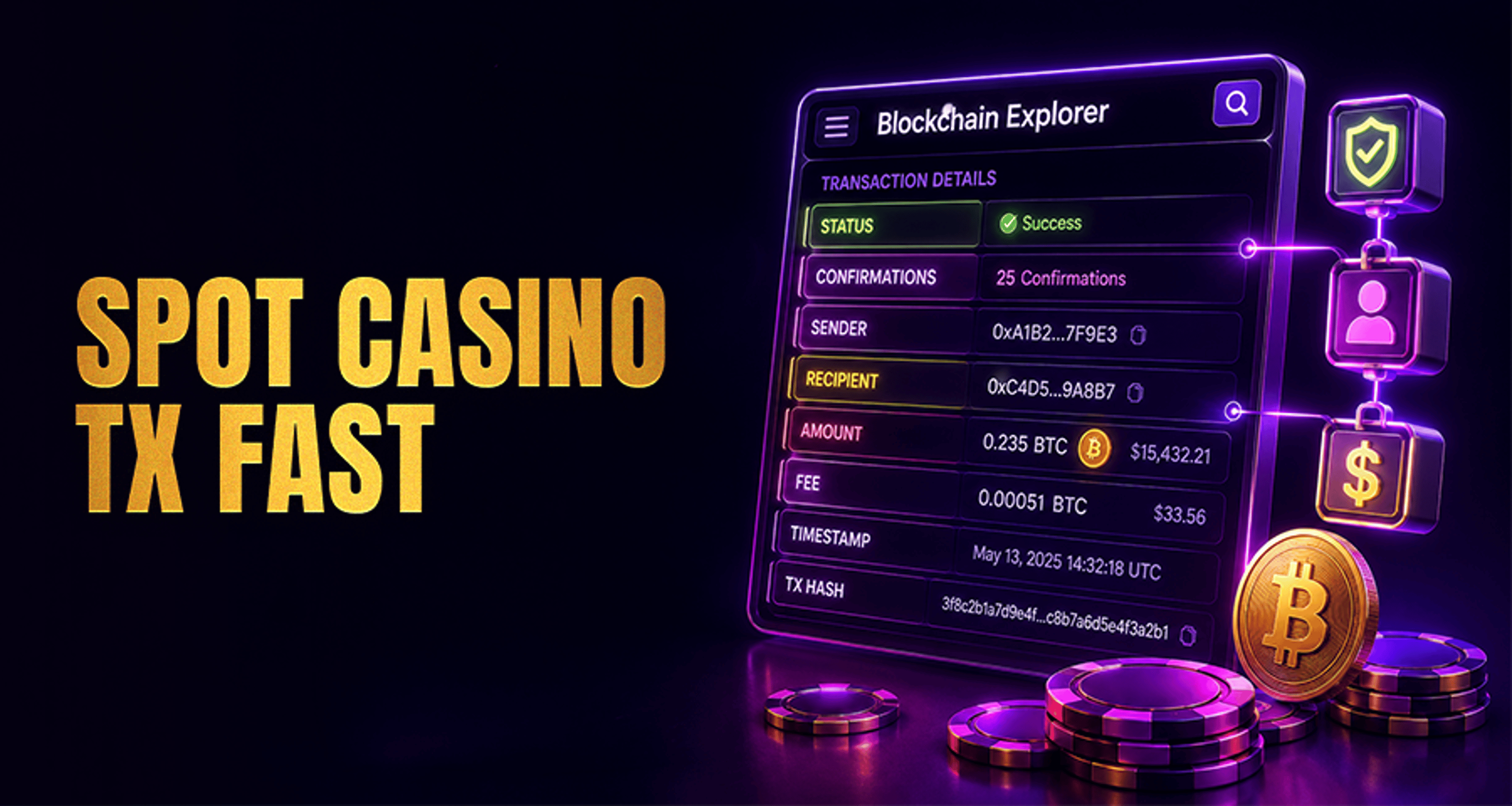
When you open a transaction in an explorer, you can usually see:
The transaction status
The number of confirmations
The sender wallet address
The recipient wallet address
The amount sent
The coin or token used
The blockchain network used
The timestamp
The network fee paid
This is different from comparing payout options or timelines. If you want a broader overview of deposit and withdrawal options, see Best Online Casino Payment Methods Fast & Safe 2026.
How to Read a Casino Transaction Using a Tx Hash
If a casino gives you a tx hash for a withdrawal, or your wallet shows one for a deposit, you can use it to check the payment step by step.
Step 1: Copy the transaction hash
Find the tx hash in one of these places:
Your casino withdrawal history
Your crypto wallet transaction history
A deposit notification
A support message from the casino
It is usually a long string of letters and numbers.
Step 2: Open the correct blockchain explorer
Use an explorer that matches the network used for the transaction. For example:
Bitcoin transaction: use a Bitcoin explorer
Ethereum or ERC-20 token transaction: use an Ethereum explorer
TRON or TRC-20 token transaction: use a TRON explorer
BNB Smart Chain transaction: use a BSC explorer
This part matters. If you search a Bitcoin tx hash in an Ethereum explorer, or check a TRC-20 payment on the wrong chain, the transaction may appear missing even when it exists.
Step 3: Paste the tx hash into the search bar
Enter the full transaction hash into the explorer search field and open the result.
Step 4: Check the main transaction fields
Once the transaction page loads, review the key details carefully:
Status
Confirmations
From address
To address
Amount
Coin or token type
Network
Timestamp
Transaction fee
Step 5: Match the explorer data to your casino payment details
Compare what you see on-chain with:
The deposit address the casino gave you
The withdrawal address you entered
The selected network
The amount you expected to send or receive
The asset type, such as BTC, ETH, USDT, or another token
If one of those details does not match, the explorer can often reveal why the payment is delayed.
The Key Fields to Check: Status, Confirmations, Wallets, Amount, and Fees
Here is what each field means in practical casino support terms.
Status
The status tells you the current blockchain result of the transaction.
Common statuses include:
Pending: The transaction has been broadcast but is not yet fully confirmed in a block.
Confirmed: The transaction is included on-chain and has at least one confirmation.
Failed: The transaction did not complete successfully.
Dropped: The network did not keep the transaction active, often because it was replaced, expired, or had too little fee support.
Not found: The explorer cannot locate the tx hash on that network.
For casino users, this is the first field to check. It can quickly tell you whether the issue is still happening on-chain or whether the blockchain part is already complete.
Confirmations
A confirmation is added each time a new block is built after the block containing your transaction. More confirmations generally mean the transaction is more secure and less likely to be reversed by normal chain behavior.
Casinos often wait for a minimum number of confirmations before crediting a deposit or marking a withdrawal as complete on the user side. That threshold varies by operator, asset, and network.
If a transaction has only one or two confirmations, it may be valid on-chain but still below the casino’s required threshold.
Sender wallet and recipient wallet
These fields show where the funds came from and where they went.
For a deposit:
The sender wallet is usually your personal wallet
The recipient wallet should match the deposit address provided by the casino
For a withdrawal:
The sender wallet may be a casino-controlled wallet
The recipient wallet should be the wallet address you submitted
Always compare the addresses carefully. Even a valid confirmed transaction can be useless for support if it was sent to the wrong destination.
Amount
The amount shows how much crypto moved in the transaction.
Check that it matches:
The amount you intended to deposit or withdraw
The amount shown by the casino
Any minimum deposit or withdrawal rules
Some differences happen because of fees, token decimals, or wallet display rounding, but a large mismatch deserves closer attention.
Token or coin type
This field shows what asset was transferred.
That matters because sending the wrong asset is a common mistake. For example:
Sending USDT instead of native ETH
Sending a token on TRC-20 when the casino expected ERC-20
Sending a wrapped asset when the platform only supports the native coin
If you are unsure how fees behave across networks, this may also help: Gas Fees Explained for Casino Users.
Network
The network tells you which blockchain carried the transaction.
This is one of the most important checks. A wallet address can sometimes exist in similar-looking form across more than one network, but that does not mean the casino supports all of them. If the casino asked for USDT on TRON and you sent USDT on Ethereum, the explorer may show a valid transaction while the casino cannot automatically credit it.
Timestamp
The timestamp shows when the transaction was broadcast or confirmed, depending on the explorer layout.
This helps you judge whether the delay is normal. A transaction submitted a few minutes ago is different from one that has already been sitting confirmed for several hours.
Transaction fee
The fee is the network cost paid to process the transaction.
Very low fees can contribute to slow processing on some networks. In some cases, a pending transaction may remain unconfirmed longer because the fee was not competitive enough for current network conditions.
How to Tell Whether a Casino Deposit or Withdrawal Is Still Pending
A casino crypto transaction is usually still pending if:
The explorer shows Pending or Unconfirmed
The confirmation count is still very low
The transaction has not yet been included in a completed block
The sending wallet shows it was broadcast, but the explorer shows delays
For deposits, this usually means the casino may not credit your balance yet.
For withdrawals, it can mean one of two things:
The casino has created and broadcast the withdrawal, but it is still waiting for confirmations
The casino has not yet sent the withdrawal on-chain, in which case you may not have a valid tx hash yet
If you have no tx hash at all, a blockchain explorer cannot confirm that a withdrawal was sent.
Why a Transaction Can Be Confirmed On-Chain but Not Yet Credited
This is a common source of confusion.
A transaction can be confirmed on the blockchain but still not credited in your casino account yet. That is because on-chain confirmation and casino account processing are not the same thing.
A casino may still need to:
Wait for more confirmations than the explorer currently shows
Detect and index the transaction internally
Match the payment to your account
Review a token or network mismatch
Process deposits in batches or queue-based systems
So if the explorer says Confirmed, that means the blockchain has accepted the transaction. It does not automatically mean the casino has already finished its internal crediting step.
Common Casino Crypto Payment Problems a Blockchain Explorer Can Reveal
A blockchain explorer is especially useful when something looks delayed or incorrect.
Wrong network used
This is one of the most common issues.
Example:
The casino deposit page requested USDT on TRC-20
You sent USDT on ERC-20
The transaction appears confirmed in the Ethereum explorer
The casino does not credit it automatically because the expected network was different
In this case, the explorer helps prove what network was actually used.
Incorrect wallet address
If the recipient address on the explorer does not match the deposit address provided by the casino, the funds may have gone somewhere else.
For withdrawals, if the recipient address does not match the wallet you entered, support will usually need to investigate whether the wrong destination was submitted.
Low confirmations
Sometimes the transaction is real and valid but simply has not reached the required number of confirmations yet.
That is why a payment can look fine in the explorer while remaining pending in your casino balance.
Token sent instead of native coin
Some platforms support only specific assets on a given deposit route. If you sent a token when the casino expected the native coin, the explorer can reveal the exact asset transferred.
Delayed indexing or internal processing
If the explorer shows the transaction clearly, the address is correct, the network is correct, and confirmations are complete, the issue may be on the casino processing side rather than the blockchain side.
Transaction hash not found
If the explorer says not found, possible reasons include:
You searched the wrong blockchain explorer
The tx hash was copied incorrectly
The casino has not broadcast the withdrawal yet
Your wallet has not fully submitted the transaction
The explorer is temporarily behind or indexing slowly
What to Send Support When a Casino Transaction Is Delayed
If the explorer data suggests the payment should have arrived already, contact the casino support team with clear proof.
Useful details to provide include:
Transaction hash
Your wallet address
The destination address
The network used
The asset sent, such as BTC, ETH, or USDT
The amount
The time of the transaction
Screenshots from the blockchain explorer
Screenshots from your wallet or casino transaction page
The cleaner your evidence, the easier it is for support to compare your case with their internal records.
If you are sharing wallet screenshots or account details, take basic security steps first. This guide on protecting your crypto wallet fast is a useful refresher.
When to contact support
It makes sense to contact support when:
The transaction is confirmed on-chain but still not credited after a reasonable processing period
The explorer shows the correct address, amount, and network, but your balance has not updated
A withdrawal is marked processed by the casino, but the tx hash is missing or invalid
You suspect a wrong network or token mismatch
You need confirmation of the casino’s required number of confirmations
A good support message should include your tx hash, wallet address, network, and screenshots so the team can review the case faster.
Mistakes to Avoid When Checking Crypto Casino Transactions
When trying to read blockchain explorer casino transactions, avoid these common mistakes:
Checking the tx hash in the wrong explorer
Looking only at the status and ignoring the network
Assuming confirmed means already credited
Ignoring the token type
Comparing only part of a wallet address instead of the full address
Forgetting that casinos may use different confirmation thresholds
Treating a blockchain explorer as a tool to reverse a completed payment
If you are deciding between payment rails for future deposits or withdrawals, it may also help to compare casino payment methods by speed, safety, and fees.
Conclusion
A blockchain explorer is one of the most useful tools for understanding a casino crypto deposit or withdrawal. With a transaction hash, you can verify whether a payment was broadcast, which network it used, where it was sent, how many confirmations it has, and whether the transaction fee may have affected timing.
Most importantly, it helps you separate blockchain status from casino account credit timing. A transaction can be valid on-chain and still require additional confirmations or internal processing before it appears in your casino account.
If a payment is delayed or unclear, use the platform’s crypto payment help resources or contact support with your tx hash, wallet address, network details, and screenshots from the explorer.
FAQs
What is a transaction hash in a casino crypto withdrawal?
A transaction hash is the unique ID for a blockchain transaction. In a casino withdrawal, it lets you check whether the payment was actually sent on-chain and view its status in a blockchain explorer.
How many confirmations does a casino deposit usually need?
It depends on the casino, the coin or token, and the network. Some require only a few confirmations, while others require more before crediting the deposit.
Why does my blockchain explorer show confirmed but the casino has not credited me?
Because blockchain confirmation and casino crediting are separate steps. The transaction may be complete on-chain, but the casino may still be waiting for more confirmations or finishing internal processing.
Can I track a casino payment if I used the wrong network?
You can often still see the transaction on the blockchain explorer for the network you used. However, seeing it on-chain does not mean the casino can automatically credit it if the payment was sent on an unsupported or different network.
What does it mean if a transaction hash is not found?
It may mean you searched on the wrong blockchain, copied the hash incorrectly, the transaction was not broadcast yet, or the explorer has not indexed it yet.
Can a blockchain explorer show whether a casino has sent my withdrawal?
Yes, if the casino provides a valid tx hash and the transaction has been broadcast. The explorer can show whether it exists on-chain, its status, confirmations, destination wallet, and other key details.





